
Dual pricing
Dual pricing: two clear prices, one simple choice
With dual pricing, every Integrater payment link shows two prices up front: a Credit Card Price and an ACH Price. Your customer picks how they want to pay, and the matching payment form appears. There is no fee calculated at checkout, just transparent pricing customers see before they decide.
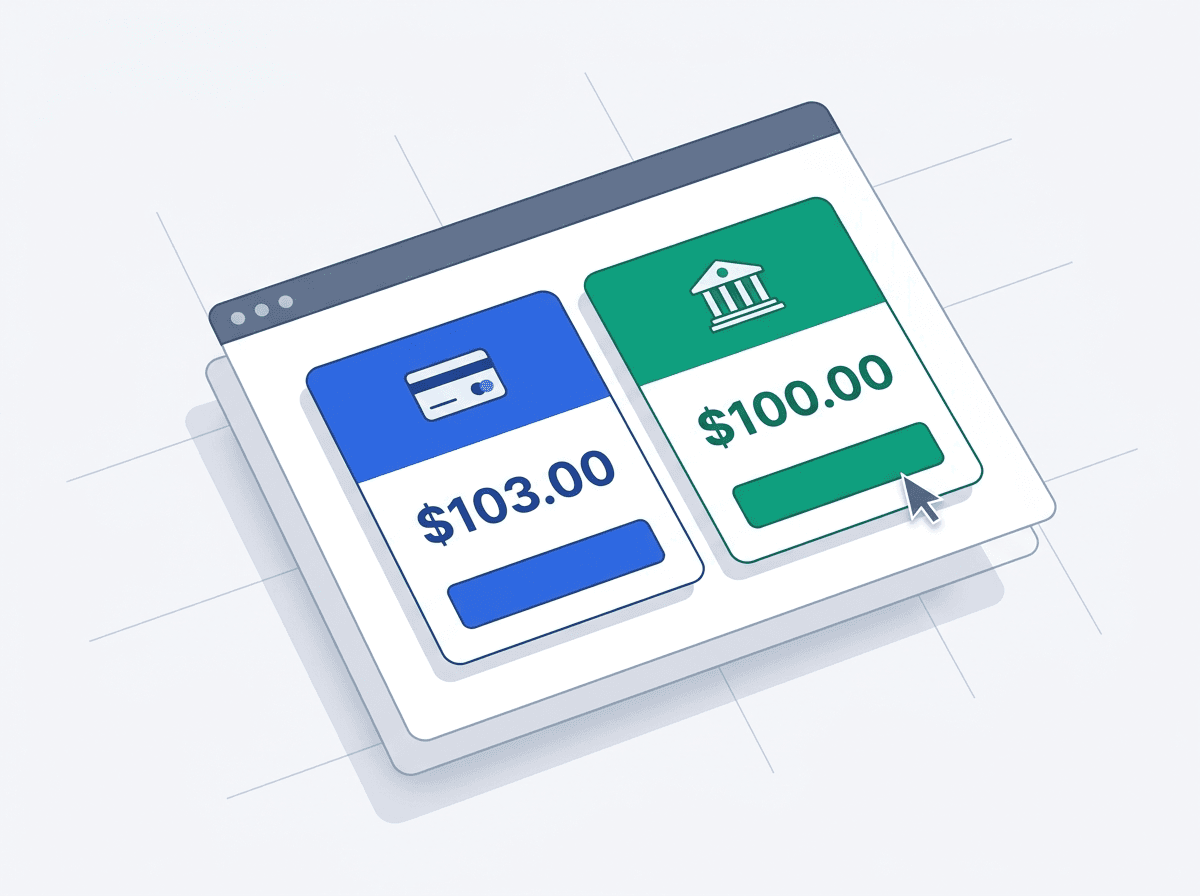
- Shown on every payment link
- 2 prices
- No fees added at checkout
- Upfront
- To choose card or ACH
- 1 click
How dual pricing works
When you send an invoice, the payment link displays both totals side by side. The Credit Card Price includes the cost of card acceptance, and the ACH Price reflects the lower cost of a bank payment. Once your customer selects an option, Integrater shows the proper form: card entry for the Credit Card Price, or bank account details for the ACH Price.
- Both prices are shown before the customer chooses a payment method
- Selecting a price opens the matching card or ACH payment form
- The amount paid is exactly the price the customer selected
- Each payment posts to QuickBooks with the correct line items
Dual pricing vs. surcharging
Dual pricing and surcharging both help you recover card processing costs, but they work differently. Surcharging is dynamic: a fee is calculated per transaction based on card type and location. Dual pricing is static: two prices are set and presented up front, which makes it simpler to explain and subject to fewer network-specific surcharge rules.
| Dual pricing | Surcharging | |
|---|---|---|
| When prices are shown | Up front, both prices | At checkout, after card entry |
| Calculation | Fixed per invoice | Dynamic per transaction |
| Card type detection | Not required | Required (debit exempt) |
| Regulatory complexity | Lower | Higher |
| Best for | Simple, transparent pricing | Maximum fee recovery |
Clear for customers, clean for your books
Customers see exactly what each option costs before they commit, which reduces confusion and disputes. In QuickBooks Online, Integrater records the invoice, the payment, and any price difference correctly so your revenue and deposits always reconcile.
Frequently asked questions
Is dual pricing regulated?
Dual pricing is less regulated than surcharging because both prices are disclosed up front rather than added at checkout. Prices should still be clearly displayed, and Integrater presents both on every payment link so customers can make an informed choice.
Can I switch between dual pricing and surcharging?
Yes. Integrater supports both models, and you can choose the one that fits your business and customers.
What does my customer see after choosing a price?
Choosing the Credit Card Price opens the card payment form, and choosing the ACH Price opens the bank payment form. The customer pays exactly the price they selected.
Keep the 2.9%. Keep your weekends.
Connect QuickBooks, get approved for payment processing the same day, and let Integrater handle the payments, the compliance, and the accounting. Instant signup, 14-day free trial.
$9/mo + 10¢ per transaction after your trial. No contracts, cancel anytime.
Not ready to sign up? Get an instant custom demo